
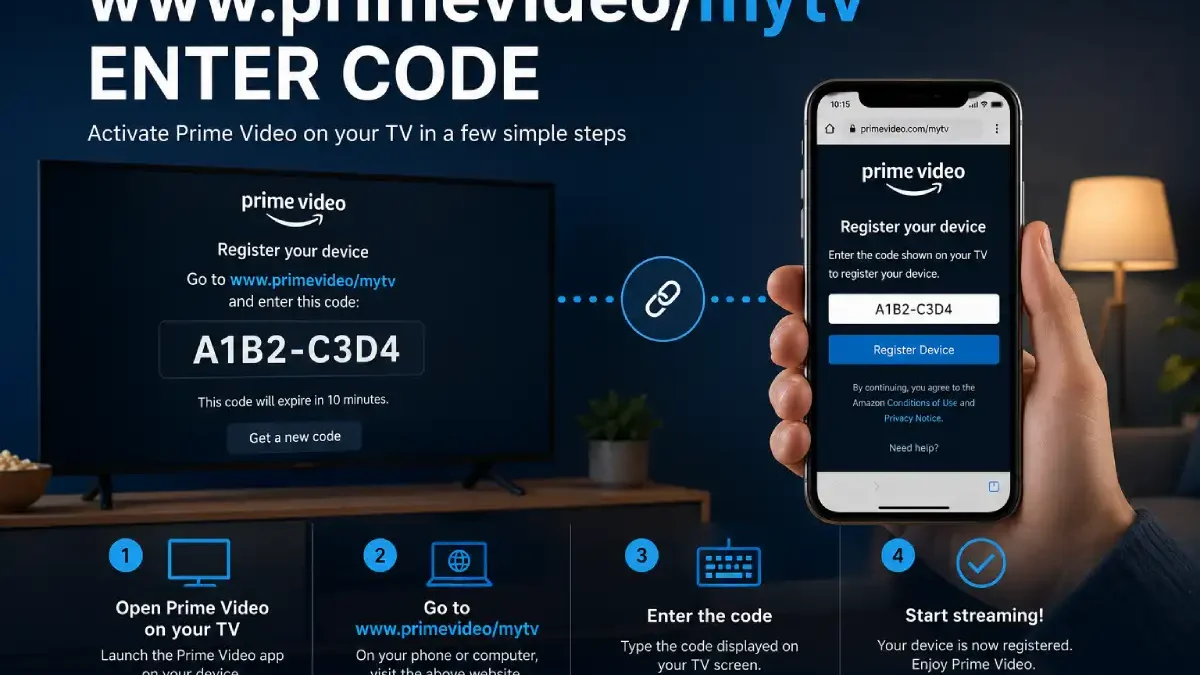

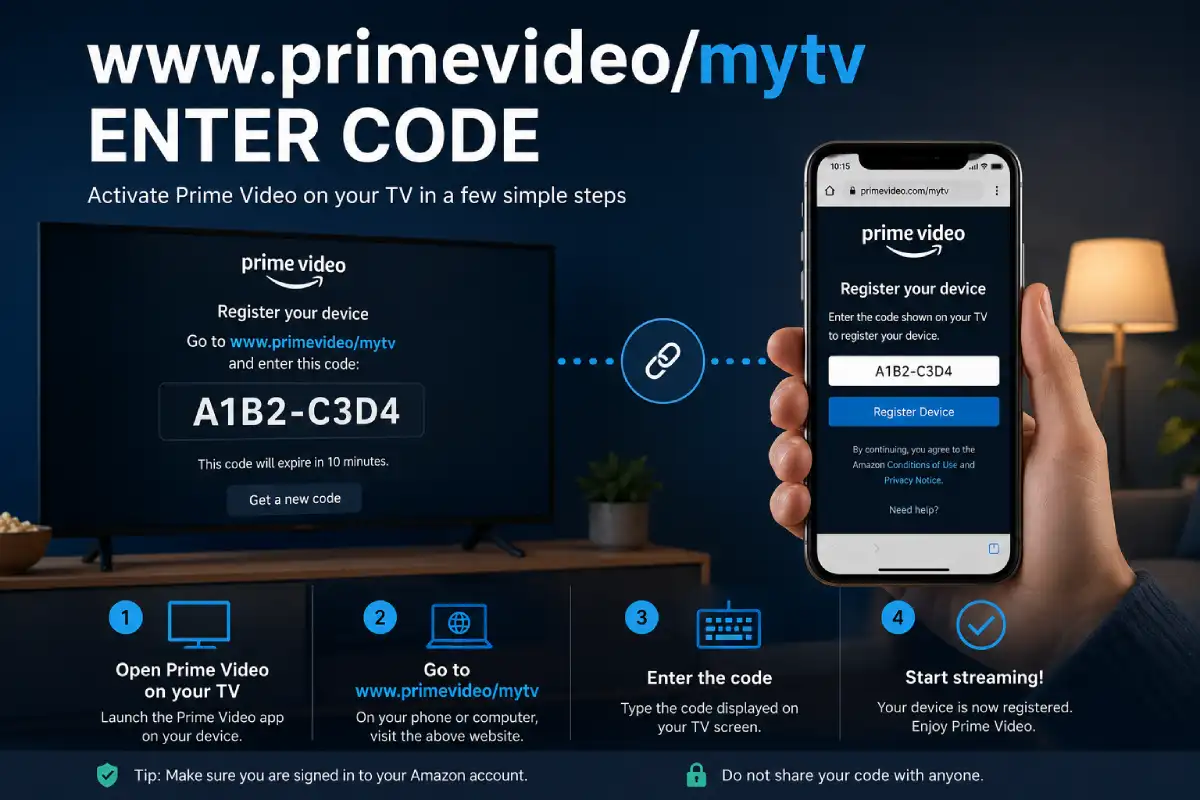
Watching Prime Video on a phone or laptop is convenient, but nothing quite compares with enjoying a movie or series on a large television screen. If you have recently installed the Prime Video app on a Smart TV, streaming player, gaming console, or another compatible device, you may see a message asking you to enter a code to register the device.
This is where searches such as “www.primevideo/mytv enter code,” “Prime Video mytv enter code,” and “Prime Video activation code” come from.
The basic idea is simple: Prime Video uses a device-registration process to connect the streaming device to your Amazon account. Depending on the device, Amazon may provide a QR code, an on-screen registration code, or an option to sign in directly. Amazon confirms that compatible devices can be registered in several ways.
In this guide, we will explain what the code means, where to enter it, how the activation process works, what to do when the code does not work, and how to avoid common mistakes.
Table of Contents
What Is “www.primevideo/mytv Enter Code”?
The phrase “www.primevideo/mytv enter code” is generally used by people looking for instructions to connect Prime Video on a television or streaming device with their Amazon account.
The important thing to understand is that the code is not a subscription code or a discount coupon.
It is a device-registration code.
Prime Video Activation Code
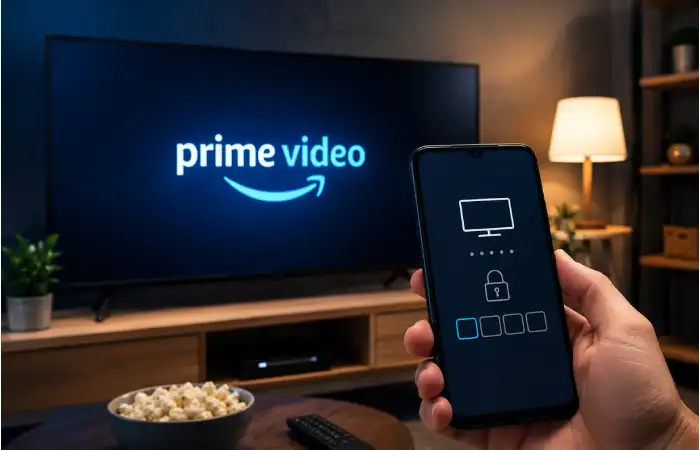
A Prime Video activation code is a temporary code displayed by the Prime Video application on a supported television or streaming device. It is used during the device-registration process to associate that device with an Amazon account.
Amazon’s official instructions explain that some devices show a QR code to scan, while others display a code that can be entered on a device-registration page. Some devices may instead allow direct sign-in with Amazon account credentials.
So, if your TV displays a short code and tells you to register the device, there is normally no reason to panic. It is simply part of the sign-in process.
Why Does Prime Video Ask for a Code?
Typing an email address and password using a television remote can be frustrating. Anyone who has tried entering a long password with a remote control knows how slow it can feel.
A registration code provides a much easier alternative.
Instead of entering your Amazon password directly on the TV, you can use a phone or computer to complete the registration process. The television then becomes associated with the account.
This method can be particularly useful on:
- Smart TVs
- Streaming media players
- Game consoles
- Blu-ray players
- Amazon devices
- Other supported connected devices
Amazon lists Smart TVs, mobile devices, game consoles, Blu-ray players, streaming media devices, and Amazon devices among the categories that can support Prime Video, although exact compatibility depends on the model and platform.
How Does Prime Video Device Activation Work?
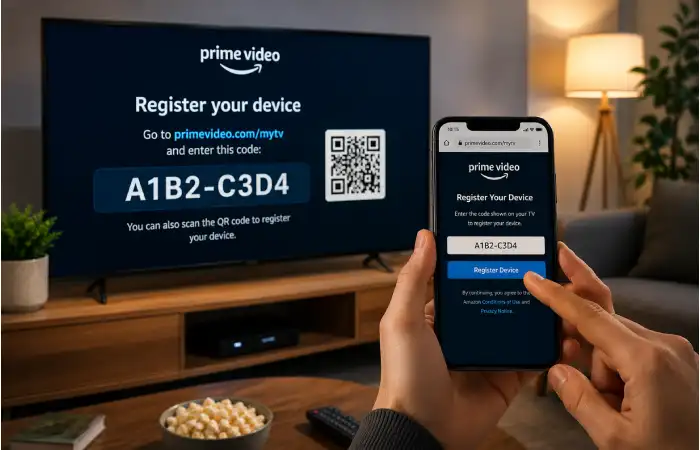
The process is easier when you think of it as a connection between two devices.
Your TV displays the code.
Your phone or computer is used to complete registration.
Once the code is accepted, Amazon connects the streaming device with the appropriate account.
A simplified version looks like this:
Prime Video app → Registration code → Amazon account → Device registration → Prime Video access
The code itself does not give someone a free Prime membership. It simply helps identify the device during registration.
How to Enter the Prime Video Activation Code
If your TV is showing a registration code, follow these general steps.
Step 1: Open Prime Video on Your TV
Turn on your Smart TV or streaming device and launch the Prime Video application.
If Prime Video is not installed, open your device’s application store and search for Prime Video.
Amazon recommends opening the app after installation and then registering the device.
Step 2: Select the Sign-In or Registration Option
The exact wording depends on the device.
You might see options such as:
- Sign In
- Sign in and Start Watching
- Register Your Device
- Register on the Amazon website
- Scan a QR code
Do not worry if your screen looks slightly different from an online tutorial. Prime Video interfaces can change between device manufacturers and software versions.
Step 3: Look for the Code
After selecting the appropriate registration option, your TV may display a short code.
Write it down carefully or keep the screen visible while you complete the next step.
Some devices may display a QR code instead. Amazon specifically notes that supported devices can provide a QR code to scan or a code to enter on the registration page.
Step 4: Open the Official Amazon/Prime Video Registration Page
Use a phone, tablet, or computer to access the official Amazon or Prime Video registration flow shown by your device.
It is important to be careful with websites that imitate Amazon. Do not enter your Amazon password into an unfamiliar activation website simply because it uses words such as “Prime,” “Amazon,” or “MyTV.”
For the safest approach, begin from Amazon’s official website or the Prime Video help and account pages.
Step 5: Sign In to the Correct Amazon Account
If requested, sign in using the Amazon account associated with your Prime Video membership.
This step matters.
If you accidentally use another Amazon account, the registration may be associated with the wrong account, which can make the situation confusing later.
Step 6: Enter the Displayed Code
Enter the code exactly as it appears on your TV.
Pay attention to characters that can look similar, especially:
- 0 and O
- 1 and I
- 5 and S
- 8 and B
Do not add unnecessary spaces.
Step 7: Wait for the TV to Update
After successful registration, return your attention to the television.
The Prime Video application may refresh automatically. In some cases, you may need to wait briefly or follow another instruction shown on the TV.
Once registration is complete, Prime Video should be ready to use on that device, provided your account and subscription support the requested content.
Prime Video Code vs. Amazon Password
These two things are completely different.
| Feature | Prime Video Registration Code | Amazon Password |
| Purpose | Registers or links a device | Signs in to an account |
| Usually displayed on | TV or streaming device | Account login screen |
| Temporary | Generally used for the current registration process | Remains your account credential until changed |
| Should you share it publicly? | No | Absolutely not |
| Used for | Device registration | Account authentication |
A registration code should never be treated casually just because it is short. Avoid posting it publicly or sending it to strangers who claim they can “activate” your account.
Which Devices Can Use Prime Video?
Prime Video is available across a wide range of devices.
Amazon’s support documentation includes categories such as televisions, Amazon devices, mobile devices, Blu-ray players, game consoles, and streaming media players.
| Device category | Typical sign-in method | Notes |
| Smart TV | Code, QR code, or direct sign-in | Interface varies by TV brand |
| Streaming device | Code, QR code, or account sign-in | Keep software updated |
| Game console | App sign-in/registration | Availability depends on console |
| Blu-ray player | App registration | Older models may have limitations |
| Amazon device | Often integrated sign-in | Account association may be simpler |
| Mobile device | Direct account sign-in | Usually no TV-style activation code |
The exact experience is determined by the device manufacturer, operating system, Prime Video application version, and region.
What If the Prime Video Code Is Not Working?
This is one of the most common problems.
A code may fail for several ordinary reasons. Before assuming your account is broken, try the simple fixes first.
Check the Code Carefully
Make sure every character is correct.
A single incorrect character can prevent registration.
If the code contains letters and numbers that look alike, double-check them before submitting.
Generate a New Code
If the displayed code has been sitting on the screen for a while, return to the previous screen or restart the registration process.
A new code may be generated.
Using the newest code displayed by the application is usually the best approach.
Check Your Internet Connection
Your TV and the phone or computer you are using should have reliable internet access.
If the TV is offline, the registration process cannot complete properly.
Try opening another application on the TV to determine whether the internet connection is working.
Restart Prime Video
Close the Prime Video app and open it again.
If that does not help, restart the television or streaming device.
It sounds basic, but restarting often clears temporary application problems.
Update Prime Video
An outdated application can sometimes behave differently from current instructions.
Check your device’s app store for an available Prime Video update.
Amazon’s official installation guidance recommends downloading and installing the Prime Video app through the device’s app store.
What If Prime Video Keeps Asking for a Code?
If you have already registered the device but Prime Video repeatedly asks you to sign in, there may be a registration or account issue.
Try these steps:
- Confirm that you are using the correct Amazon account.
- Sign out of Prime Video if the option is available.
- Restart the device.
- Open Prime Video again.
- Generate a new registration code.
- Complete the registration process again.
- Check whether your device has reached an account or subscription limit.
Amazon provides a dedicated Register a Device section in Prime Video support for account and device-registration assistance.
Prime Video Device Limits in India
Device limits can be especially important for Indian users because different Prime Video membership types can have different restrictions.
According to Amazon’s current Prime Video help information, Amazon Prime members in India can watch Prime Video on up to five devices, including two TVs. Prime Video Mobile Edition and Prime Lite memberships have different device restrictions.
That means a registration problem is not always caused by the activation code.
Sometimes the account has simply reached its permitted device limit.
Definition: Device Limit
A device limit is the maximum number of devices that a particular Prime Video membership can use for viewing.
If you see a message indicating that your current subscription does not support watching on additional devices, check the registered devices associated with your account.
Amazon says users can manage registered devices through the Devices section of the Prime Video Account & Settings page.
What Happens When You Reach the Device Limit?
If you have reached your allowed number of devices, adding another television may not work until an existing device is removed or your membership is changed.
Amazon’s India help page explains that registered devices can be removed from the Devices section. It also notes specific removal restrictions for certain India memberships.
This is why repeatedly entering a new activation code may not solve the problem.
The code can be perfectly valid while the account itself is unable to register another device.
How to Protect Yourself From Fake Activation Websites
This is an important part of the www.primevideo/mytv enter code search.
Because activation pages involve account sign-in, scammers may create websites designed to look like legitimate streaming-service pages.
A safe rule is simple:
Never enter your Amazon username, password, one-time password, or payment information into a website just because it claims to activate Prime Video.
Look closely at the domain name.
Avoid websites that:
- Ask for unnecessary payment to activate Prime Video
- Request your Amazon password through a suspicious form
- Ask for remote access to your computer
- Ask for gift cards
- Claim they can provide a free Prime membership
- Promise unlimited Prime Video access without a legitimate subscription
- Use excessive pop-ups or strange redirects
Amazon’s official support pages provide device-registration and troubleshooting information, so there is usually no reason to rely on an unknown third-party activation service.
Do You Need a Prime Membership?
Registering a device and having access to paid Prime Video content are two different things.
Device registration connects your supported device with your account.
Your account’s membership determines what content you can access.
Some Prime Video titles may also be available for separate rental, purchase, or through additional subscriptions. Amazon’s support center includes separate information about rentals, purchases, add-on subscriptions, and Prime membership.
So, successfully entering an activation code does not mean every movie or series on the platform automatically becomes available.
Why Does Prime Video Use Device Registration?
Device registration offers a practical way to connect an account with a television or streaming device without forcing users to type long account credentials with a remote.
It also provides a clear account-management structure.
From the user’s perspective, the biggest advantage is convenience.
You can use a phone or computer to complete the sign-in process and then return to the TV.
That small change makes setting up a streaming service considerably easier.
Common Mistakes to Avoid
Here are some mistakes that can turn a simple activation into a frustrating experience.
Using the Wrong Amazon Account
Always check which account you are signed into before registering the device.
Entering an Old Code
If the TV generates a new code, use the newest one.
Searching for Random Activation Websites
Search engines may show unofficial guides, advertisements, or imitation pages. Whenever possible, start from Amazon’s official website and support center.
Sharing Your Code
Do not post your code on social media or send it to strangers.
Assuming Every TV Has the Same Process
Samsung, LG, Sony, Roku, Fire TV, game consoles, and other platforms can display different menus.
Amazon itself states that there are several ways to register a Prime Video device.
Quick Comparison: Different Prime Video Sign-In Methods
| Method | Best for | Main advantage | Possible drawback |
| Activation code | TVs and streaming devices | Easy remote setup | Code may need refreshing |
| QR code | Smartphones + TVs | Very convenient | Requires a compatible phone |
| Direct sign-in | Supported devices | Straightforward | Typing with remote can be slower |
| Mobile app assistance | Compatible connected devices | Convenient account linking | Requires supported setup |
The important point is that there is not one universal activation method for every Prime Video device. Amazon provides multiple registration options depending on the device.
Final Thoughts
The search phrase “www.primevideo/mytv enter code” may look complicated, but the underlying process is quite straightforward. The activation code is essentially a bridge between your TV or streaming device and your Amazon account.
Start by opening the Prime Video application on your supported device. Look for the sign-in or registration option, follow the instructions shown on screen, and use the official Amazon or Prime Video registration process when you are asked to enter the displayed code